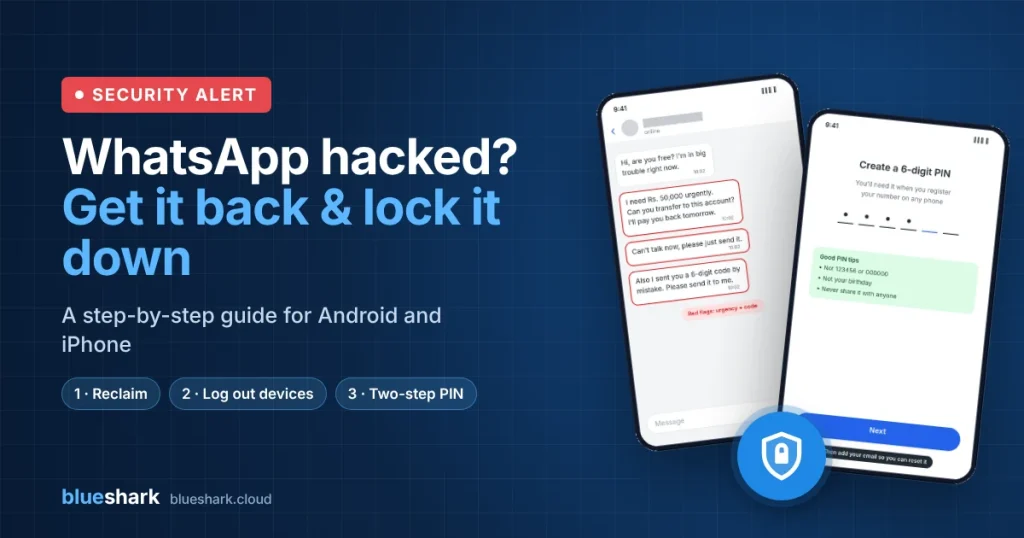
If someone you know suddenly messages you on WhatsApp asking for urgent money, their account has most likely been hijacked. Scammers take over one account, then message every contact with the same story: “I’m in trouble, can you send me some money? I’ll pay you back tomorrow.”
This guide shows how to get a hacked account back and lock it down so it can’t happen again. Where Android and iPhone differ, the steps are shown side by side.
Quick fix in 3 steps
- Verify your number on your own phone to kick the hacker out.
- Log out every linked device you don’t recognise.
- Turn on two-step verification with a PIN and your email.
The illustrations below are simplified. Your screens may look slightly different depending on your phone and app version.
Got a money request from a friend? Check first
Do not send money or reply with any code. Call your friend on a normal phone call, or reach them through another app, and ask if the message is real.
Warning signs of a hacked account
- An urgent request for money, a mobile reload, or a bank transfer to someone else’s account
- “I can’t talk right now, just send it”
- “I sent you a 6-digit code by mistake, please forward it to me” (this is how they hack your account next)
- Different spelling, language or tone from how your friend normally writes
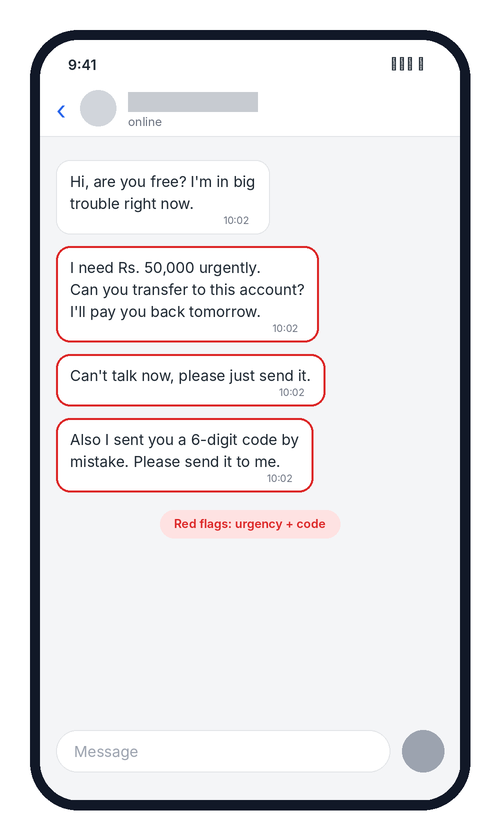 A typical scam message. Note the urgency and the request for a code.
STEP 1Take your account back
Verifying your number on your own phone logs the hacker out. A WhatsApp number can only be active on one phone at a time. These steps are the same on Android and iPhone.
- Make sure your SIM card is in your phone and has signal.
- Open WhatsApp. If it shows you as logged out, follow the prompts. If it still opens normally, delete WhatsApp and install it again from the Play Store or App Store.
- Enter your phone number and the 6-digit code WhatsApp sends you by SMS.
- Once you’re in, the hacker is logged out.
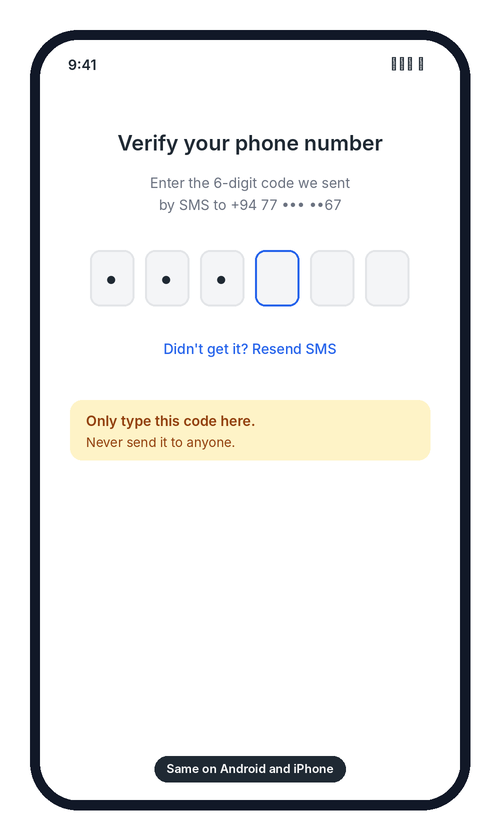 Enter the SMS code here only. Never send it to anyone.
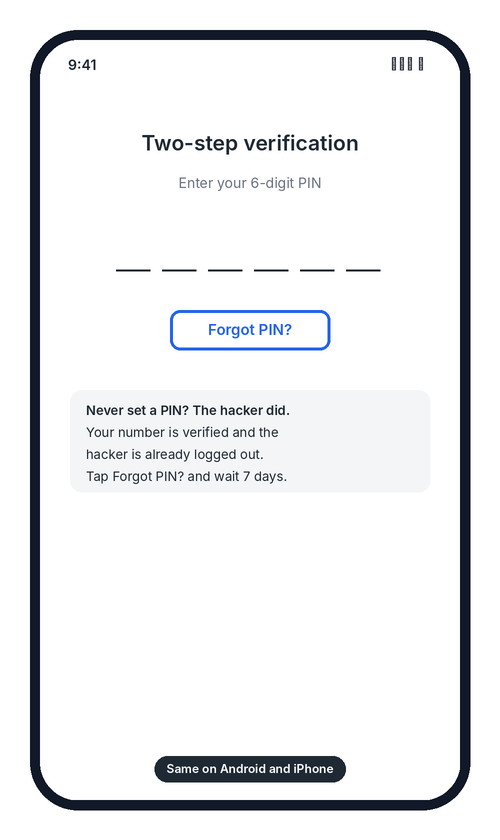 Tap Forgot PIN? and wait out the 7 days.
STEP 2Can’t get back in? Ask WhatsApp to deactivate it
If you can’t verify your number, ask WhatsApp to deactivate the account so the hacker can’t keep using it. Send this email:
Subject: Lost/Stolen: Please deactivate my account
Message: Lost/Stolen: Please deactivate my account +94 77 123 4567
Use your own full number with the country code (+94 for Sri Lanka). WhatsApp may ask you to prove the number is yours, for example with a copy of your phone bill. A deactivated account is deleted after 30 days, so verify your number again before then to keep it.
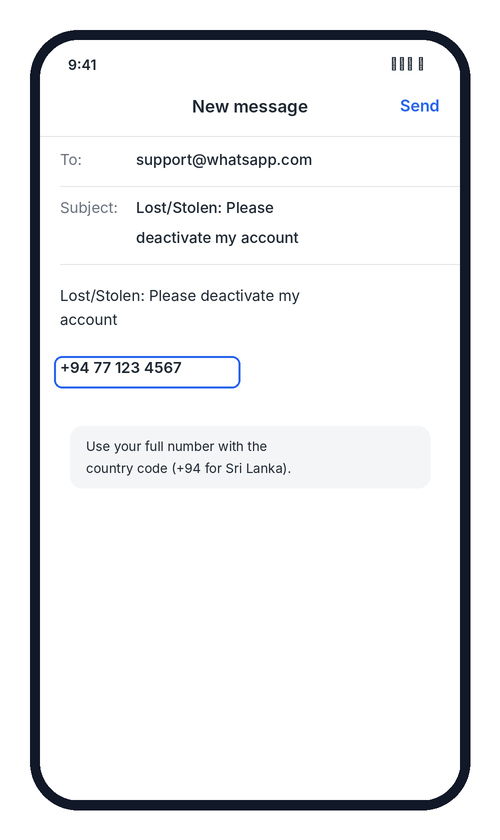 The deactivation email, ready to send.
STEP 3Warn your contacts and limit the damage
Tell people right away, through SMS, Facebook, Instagram, or a call to close family. Copy and send this message:
Then:
- Anyone who sent money should call their bank or mobile wallet provider straight away.
- Report the incident to Sri Lanka CERT at cert.gov.lk.
- If money was lost, make a complaint at your nearest police station.
- Keep screenshots of the scam messages and the account details the scammer asked for money to be sent to.
STEP 4Log out devices you don’t recognise
Hackers often stay logged in through WhatsApp Web or a computer even after you take the account back. Check Linked devices and remove anything that isn’t yours.
| Step | Android | iPhone |
|---|---|---|
| 1 | Tap the three dots (⋮) at the top right | Tap Settings at the bottom right |
| 2 | Tap Linked devices | Tap Linked Devices |
| 3 | Tap any device you don’t recognise | Tap any device you don’t recognise |
| 4 | Tap Log out | Tap Log Out, then confirm |
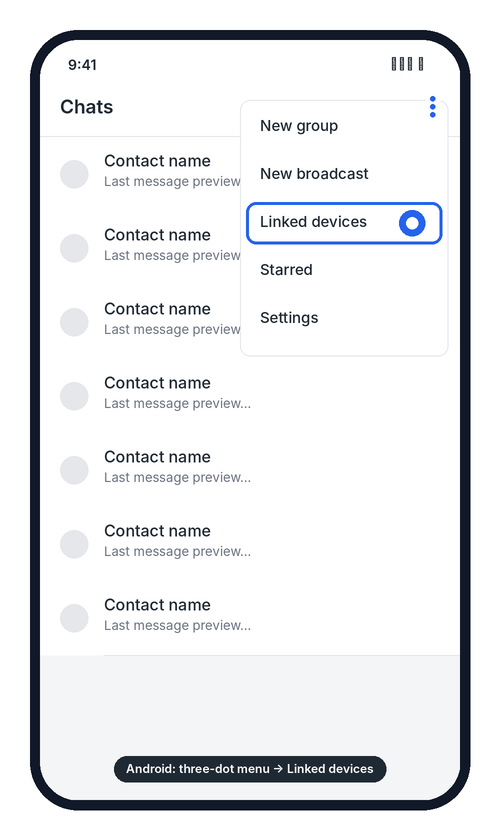 Android
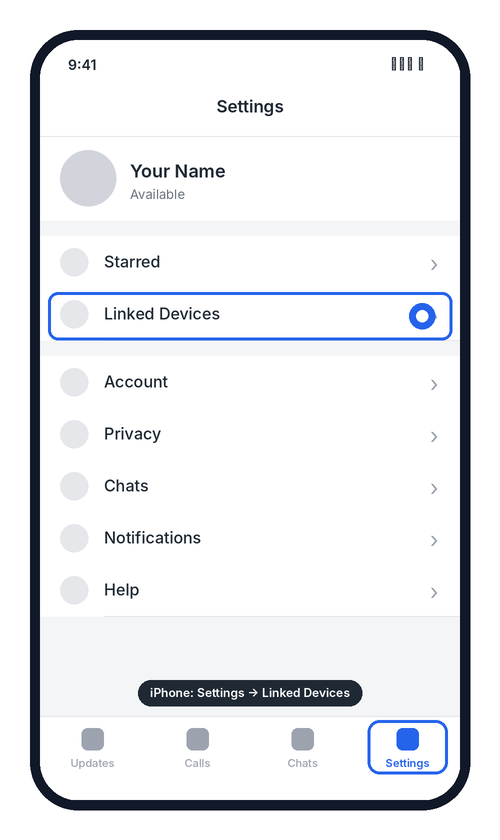 iPhone
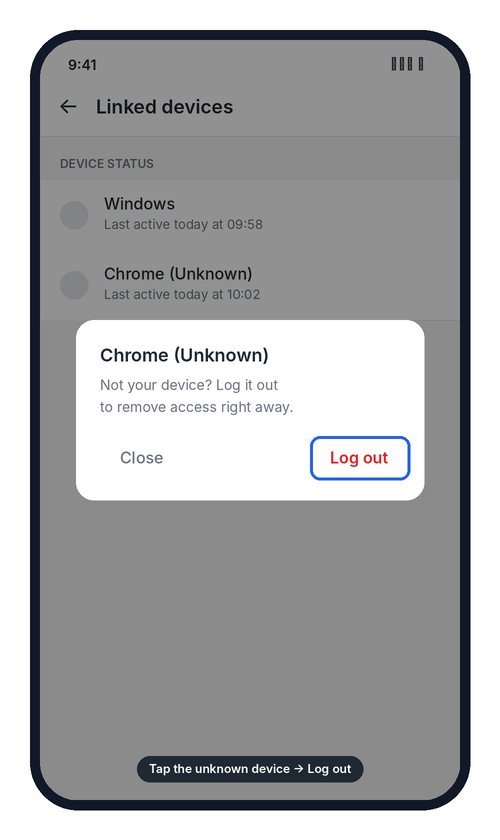 Both phones: tap the unknown device, then Log out.
Repeat for every device that isn’t yours. If you’re not sure, log them all out. You can link your own computer again later by scanning the QR code.
STEP 5Turn on two-step verification
This is the most important step. Once it’s on, anyone who tries to register your number on a new phone also needs a 6-digit PIN that only you know, even if they trick you into sharing the SMS code.
| Step | Android | iPhone |
|---|---|---|
| 1 | Tap the three dots (⋮), then Settings | Tap Settings at the bottom right |
| 2 | Tap Account | Tap Account |
| 3 | Tap Two-step verification | Tap Two-step verification |
| 4 | Tap Turn on | Tap Turn on |
| 5 | Enter a 6-digit PIN, then enter it again | Enter a 6-digit PIN, then enter it again |
| 6 | Add your email address and confirm it | Add your email address and confirm it |
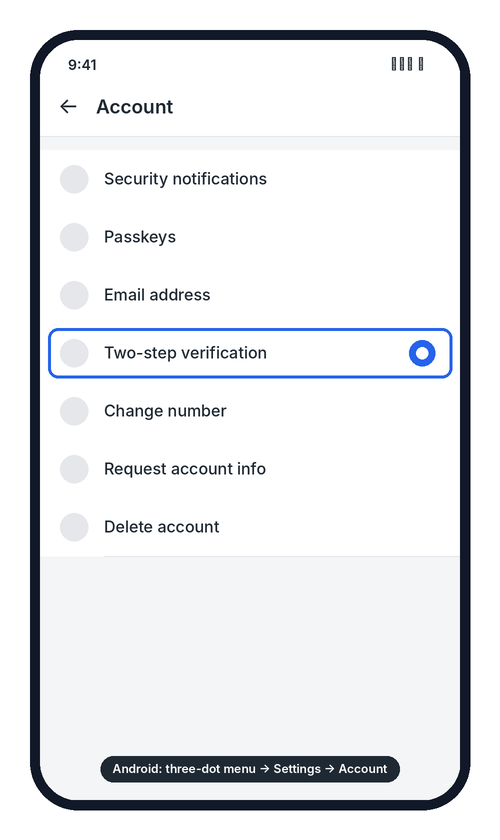 Android
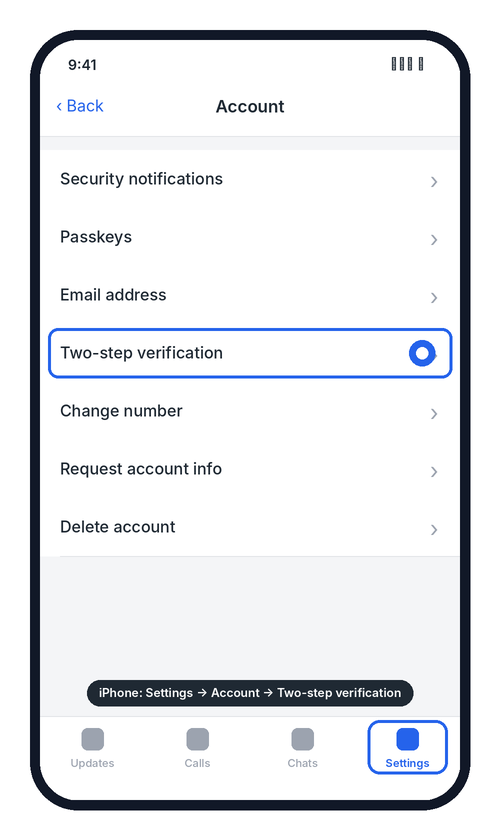 iPhone
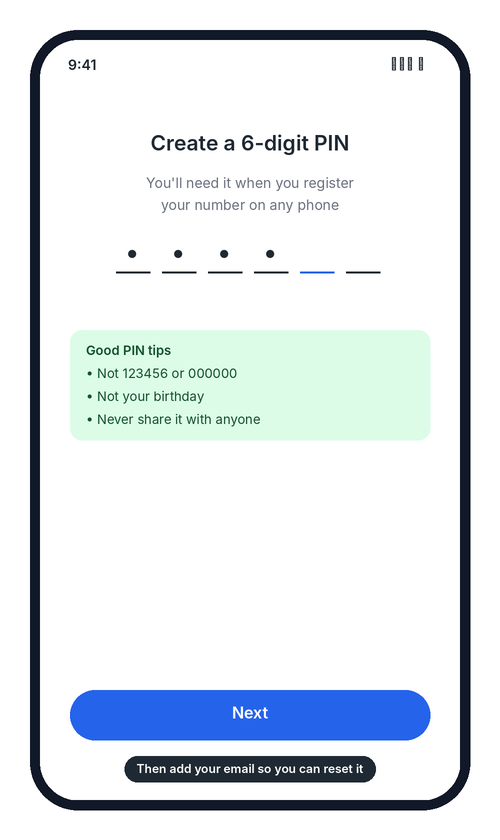 Both phones: create your PIN, then add your email.
Don’t skip the email. It’s how you reset the PIN if you forget it. Don’t use an easy PIN like 123456 or your birthday, and never tell anyone your PIN.
STEP 6Close the gap they used
Most WhatsApp hacks happen in one of three ways. Fix whichever one applies to you.
| How they got in | What it looks like | How to stop it |
|---|---|---|
| You shared the 6-digit code | A “friend” messages: “I sent you a code by mistake, please send it back” | Never share a WhatsApp code with anyone, even a friend. WhatsApp will never ask for it. |
| Voicemail hack | The hacker asks for the code by voice call while your phone is off or busy, so it goes to voicemail, then logs into your voicemail with the default PIN | Call your mobile network (Dialog, Mobitel, Hutch or Airtel) and set a strong voicemail PIN, or switch voicemail off |
| SIM swap | Your phone suddenly shows “No service” or “SIM not registered” | Call your mobile network immediately and ask them to block your SIM and protect your number |
If you use the same password for email or Facebook, change those too and turn on two-factor login there.
Quick checklist
- ✓Verified my number again to log the hacker out
- ✓Warned my contacts through another app or a call
- ✓Logged out all devices I don’t recognise
- ✓Turned on two-step verification and added my email
- ✓Set a voicemail PIN, or switched voicemail off
- ✓Told everyone: never share a WhatsApp code
Share this guide with your family and friends. It takes 5 minutes to set up and can save someone a lot of money and stress.